

Prompt Details
Model
(gemini-3.1-pro)
Token size
3,742
Example input
[K-5]: K-5
[designing a smarter lost pet rescue plan]: designing a smarter lost pet rescue plan
[search strategy logic]: search strategy logic
[neighborhood rescue map]: neighborhood rescue map
[Flexible]: Flexible
Example output
<!DOCTYPE html>
<html lang="en">
<head>
<meta charset="UTF-8">
<meta name="viewport" content="width=device-width, initial-scale=1.0">
<title>Operation: Pet Rescue Map</title>
<style>
/* === VARIABLES & THEME === */
:root {
--primary: #2b6cb0; /* Map Blue */
--primary-light: #ebf8ff;
--primary-dark: #2c5282;
--secondary: #38a169; /* Park Green */
--secondary-light: #f0fff4;
--accent: #ed8936; /* Alert Orange */
--accent-light: #fffaf0;
--bg-color: #f7fafc;
--card-bg: #ffffff;
--text-main: #2d3748;
--text-muted: #718096;
--border-color: #e2e8f0;
--success: #48bb78;
--error: #e53e3e;
--font-family: 'Segoe UI', Tahoma, Geneva, Verdana, sans-serif;
--radius: 16px;
--shadow: 0 4px 6px -1px rgba(0, 0, 0, 0.1), 0 2px 4px -1px rgba(0, 0, 0, 0.06);
--shadow-hover: 0 10px 15px -3px rgba(0, 0, 0, 0.1), 0 4px 6px -2px rgba(0, 0, 0, 0.05);
}
/* === GLOBAL STYLES === */
* { box-sizing: border-box; margin: 0; padding: 0; }
body {
font-family: var(--font-family);
background-color: var(--bg-color);
color: var(--text-main);
line-height: 1.6;
display: flex;
justify-content: center;
min-height: 100vh;
}
/* === LAYOUT === */
#app-container {
width: 100%;
max-width: 900px;
background: var(--bg-color);
min-height: 100vh;
display: flex;
flex-direction: column;
position: relative;
overflow-x: hidden;
}
/* === HEADER & PROGRESS === */
header {
background: var(--card-bg);
padding: 1rem 2rem;
border-bottom: 2px solid var(--border-color);
position: sticky;
top: 0;
z-index: 100;
display: flex;
flex-direction: column;
gap: 10px;
box-shadow: 0 2px 4px rgba(0,0,0,0.05);
}
.header-top {
display: flex;
justify-content: space-between;
align-items: center;
}
.logo {
display: flex;
align-items: center;
gap: 10px;
font-weight: 800;
font-size: 1.4rem;
color: var(--primary-dark);
}
.logo svg { width: 30px; height: 30px; fill: var(--accent); }
.progress-container {
width: 100%;
background: var(--border-color);
height: 10px;
border-radius: 10px;
overflow: hidden;
}
.progress-bar {
height: 100%;
background: linear-gradient(90deg, var(--primary), var(--secondary));
width: 0%;
transition: width 0.4s ease;
}
/* === MAIN CONTENT VIEWS === */
main {
flex: 1;
padding: 2rem;
position: relative;
}
.view-section {
display: none;
animation: slideIn 0.4s ease forwards;
}
.view-section.active { display: block; }
@keyframes slideIn {
from { opacity: 0; transform: translateY(20px); }
to { opacity: 1; transform: translateY(0); }
}
/* === TYPOGRAPHY === */
h1 { font-size: 2.2rem; color: var(--primary-dark); margin-bottom: 0.5rem; line-height: 1.2;}
h2 { font-size: 1.8rem; color: var(--secondary); margin-bottom: 1rem; }
h3 { font-size: 1.3rem; margin-bottom: 0.5rem; color: var(--text-main); }
p { margin-bottom: 1rem; font-size: 1.1rem; }
.subtitle { color: var(--text-muted); font-size: 1.2rem; margin-bottom: 2rem; }
/* === UI COMPONENTS === */
.btn {
background: var(--primary);
color: white;
border: none;
padding: 12px 24px;
font-size: 1.2rem;
font-weight: bold;
border-radius: var(--radius);
cursor: pointer;
transition: all 0.2s;
display: inline-flex;
align-items: center;
gap: 8px;
box-shadow: var(--shadow);
}
.btn:hover { background: var(--primary-dark); transform: translateY(-2px); box-shadow: var(--shadow-hover); }
.btn-secondary { background: white; color: var(--primary); border: 2px solid var(--primary); }
.btn-secondary:hover { background: var(--primary-light); }
.btn-accent { background: var(--accent); }
.btn-accent:hover { background: #dd6b20; }
.btn:disabled { background: var(--border-color); color: var(--text-muted); cursor: not-allowed; transform: none; box-shadow: none; border:none;}
input[type="text"], textarea, select {
width: 100%;
padding: 14px;
border: 2px solid var(--border-color);
border-radius: 12px;
font-size: 1.1rem;
font-family: inherit;
transition: border-color 0.2s;
background: #fff;
margin-bottom: 15px;
}
input:focus, textarea:focus, select:focus { outline: none; border-color: var(--primary); box-shadow: 0 0 0 3px var(--primary-light); }
/* CARDS */
.grid-cards {
display: grid;
grid-template-columns: repeat(auto-fit, minmax(250px, 1fr));
gap: 15px;
margin-bottom: 20px;
}
.card {
background: var(--card-bg);
border: 2px solid var(--border-color);
border-radius: var(--radius);
padding: 20px;
cursor: pointer;
transition: all 0.2s;
display: flex;
flex-direction: column;
align-items: center;
text-align: center;
position: relative;
}
.card:hover { border-color: var(--primary-light); transform: translateY(-3px); box-shadow: var(--shadow); }
.card.selected {
border-color: var(--primary);
background: var(--primary-light);
box-shadow: var(--shadow-hover);
}
.card.selected::after {
content: "✓";
position: absolute;
top: 10px;
right: 10px;
background: var(--primary);
color: white;
border-radius: 50%;
width: 24px;
height: 24px;
display: flex;
align-items: center;
justify-content: center;
font-weight: bold;
}
.card-icon { font-size: 2.5rem; margin-bottom: 10px; }
.card h4 { margin-bottom: 5px; color: var(--primary-dark); }
.card p { font-size: 0.95rem; color: var(--text-muted); margin: 0; }
/* CHIPS (Toggle buttons) */
.chip-container { display: flex; flex-wrap: wrap; gap: 10px; margin-bottom: 15px; }
.chip {
background: white;
border: 2px solid var(--border-color);
padding: 8px 16px;
border-radius: 30px;
cursor: pointer;
font-weight: bold;
color: var(--text-muted);
transition: all 0.2s;
}
.chip:hover { border-color: var(--primary); color: var(--primary); }
.chip.active { background: var(--primary); color: white; border-color: var(--primary); }
/* CHECKLIST */
.checklist { list-style: none; padding: 0; margin-bottom: 20px; }
.checklist li {
background: white;
padding: 15px;
border-radius: 12px;
margin-bottom: 10px;
display: flex;
align-items: center;
gap: 15px;
border: 2px solid var(--border-color);
cursor: pointer;
transition: all 0.2s;
}
.checklist li:hover { background: var(--primary-light); }
.checklist li.checked { border-color: var(--secondary); background: var(--secondary-light); }
.check-circle {
width: 25px; height: 25px; border: 2px solid var(--border-color); border-radius: 50%;
display: flex; align-items: center; justify-content: center;
}
.checklist li.checked .check-circle { background: var(--secondary); border-color: var(--secondary); color: white; }
/* IF/THEN LOGIC BUILDER */
.logic-row {
background: white; border: 2px solid var(--border-color); border-radius: 12px;
padding: 15px; margin-bottom: 15px; display: flex; flex-wrap: wrap; align-items: center; gap: 10px;
}
.logic-label { font-weight: bold; color: var(--primary-dark); background: var(--primary-light); padding: 5px 10px; border-radius: 8px; }
.logic-label.then { color: var(--accent); background: var(--accent-light); }
.logic-select { flex: 1; min-width: 200px; margin: 0; padding: 10px; }
/* CSS MAP VISUAL (No images) */
.css-map {
width: 100%; height: 200px; background: #e2e8f0; border-radius: var(--radius); margin-bottom: 20px;
position: relative; overflow: hidden; border: 4px solid white; box-shadow: var(--shadow);
display: grid; grid-template-columns: repeat(6, 1fr); grid-template-rows: repeat(4, 1fr); gap: 4px; padding: 8px;
}
.map-cell { background: #cbd5e0; border-radius: 4px; transition: background 0.3s; }
.map-park { background: #9ae6b4; grid-column: 4 / 6; grid-row: 1 / 3; }
.map-water { background: #90cdf4; grid-column: 1 / 3; grid-row: 3 / 5; }
.map-house { background: #fbd38d; }
.map-pin {
position: absolute; width: 20px; height: 20px; background: var(--accent); border-radius: 50%;
border: 3px solid white; top: 40%; left: 50%; transform: translate(-50%, -50%);
animation: pulsePin 2s infinite; display: flex; align-items: center; justify-content: center; color: white; font-size: 10px;
}
@keyframes pulsePin { 0% { box-shadow: 0 0 0 0 rgba(237, 137, 54, 0.7); } 70% { box-shadow: 0 0 0 15px rgba(237, 137, 54, 0); } 100% { box-shadow: 0 0 0 0 rgba(237, 137, 54, 0); } }
/* RADAR SCANNER ANIMATION */
.radar-box { position: relative; width: 100%; height: 150px; background: #2c5282; border-radius: var(--radius); overflow: hidden; margin-bottom: 15px; display: flex; align-items: center; justify-content: center;}
.radar-grid { position: absolute; width: 100%; height: 100%; background-image: linear-gradient(#4299e1 1px, transparent 1px), linear-gradient(90deg, #4299e1 1px, transparent 1px); background-size: 20px 20px; opacity: 0.3;}
.radar-sweep { position: absolute; width: 150px; height: 150px; border-radius: 50%; border: 2px solid #63b3ed; animation: expandSweep 3s infinite linear; }
.radar-sweep:nth-child(2) { animation-delay: 1s; }
.radar-sweep:nth-child(3) { animation-delay: 2s; }
.radar-target { position: absolute; font-size: 24px; z-index: 10; opacity: 0; transition: opacity 0.5s; }
.radar-target.found { opacity: 1; animation: bounce 1s infinite; }
@keyframes expandSweep { 0% { width: 0; height: 0; opacity: 1; } 100% { width: 300px; height: 300px; opacity: 0; } }
@keyframes bounce { 0%, 100% { transform: translateY(0); } 50% { transform: translateY(-10px); } }
/* FEEDBACK AREA */
.feedback-box {
background: var(--secondary-light); border-left: 5px solid var(--secondary);
padding: 15px; border-radius: 0 var(--radius) var(--radius) 0; margin-top: 15px;
display: none; animation: slideIn 0.3s; font-weight: bold; color: var(--secondary);
}
.feedback-box.show { display: flex; align-items: center; gap: 10px; }
.feedback-icon { font-size: 1.5rem; }
/* NAVIGATION FOOTER */
footer {
padding: 1.5rem 2rem;
background: white;
border-top: 2px solid var(--border-color);
display: flex;
justify-content: space-between;
position: sticky;
bottom: 0;
z-index: 100;
}
/* PRINT STYLES */
@media print {
body { background: white; }
header, footer, .teacher-dashboard { display: none !important; }
#app-container { max-width: 100%; box-shadow: none; }
.view-section { display: none; }
#view-summary { display: block !important; animation: none; }
.card { break-inside: avoid; border-color: #000;}
.summary-grid { display: grid; grid-template-columns: 1fr 1fr; gap: 20px; }
h1, h2 { color: black; }
}
/* RESPONSIVE */
@media (max-width: 600px) {
main { padding: 1rem; }
h1 { font-size: 1.8rem; }
.grid-cards { grid-template-columns: 1fr; }
.logic-row { flex-direction: column; align-items: stretch; }
.logic-label { text-align: center; }
}
/* TEACHER DASHBOARD */
.teacher-dashboard {
background: #fff5f5; border: 2px dashed #fc8181; border-radius: var(--radius); padding: 20px; margin-top: 30px;
}
.teacher-dashboard h3 { color: #c53030; display: flex; align-items: center; gap: 10px; }
.teacher-tags { display: flex; gap: 10px; flex-wrap: wrap; margin-bottom: 15px; }
.teacher-tag { background: white; border: 1px solid #feb2b2; padding: 4px 10px; border-radius: 15px; font-size: 0.85rem; color: #c53030; font-weight: bold; }
</style>
</head>
<body>
<div id="app-container">
<header>
<div class="header-top">
<div class="logo">
<svg viewBox="0 0 24 24"><path d="M12 2C8.13 2 5 5.13 5 9c0 5.25 7 13 7 13s7-7.75 7-13c0-3.87-3.13-7-7-7zm0 9.5c-1.38 0-2.5-1.12-2.5-2.5s1.12-2.5 2.5-2.5 2.5 1.12 2.5 2.5-1.12 2.5-2.5 2.5z"/></svg>
Operation: Pet Rescue
</div>
<div id="student-badge" style="display:none; font-weight:bold; color:var(--primary); background:var(--primary-light); padding:5px 15px; border-radius:20px;"></div>
</div>
<div class="progress-container">
<div class="progress-bar" id="progress-bar"></div>
</div>
</header>
<main>
<!-- 1. MISSION LAUNCH -->
<section class="view-section active" id="view-0">
<h1>Operation: Smart Rescue Map</h1>
<p class="subtitle">A STEM logic and design challenge for young engineers.</p>
<div class="css-map">
<div class="map-cell map-house"></div><div class="map-cell"></div><div class="map-cell"></div><div class="map-cell map-park"></div><div class="map-cell map-park"></div><div class="map-cell"></div>
<div class="map-cell"></div><div class="map-cell map-house"></div><div class="map-cell"></div><div class="map-cell map-park"></div><div class="map-cell map-park"></div><div class="map-cell"></div>
<div class="map-cell map-water"></div><div class="map-cell map-water"></div><div class="map-cell"></div><div class="map-cell"></div><div class="map-cell"></div><div class="map-cell map-house"></div>
<div class="map-cell map-water"></div><div class="map-cell map-water"></div><div class="map-cell"></div><div class="map-cell map-house"></div><div class="map-cell"></div><div class="map-cell"></div>
<div class="map-pin">?</div>
</div>
<div style="background: white; padding: 20px; border-radius: var(--radius); box-shadow: var(--shadow); margin-bottom: 20px;">
<h3>🚨 Emergency Alert</h3>
<p>Pets are getting lost in the neighborhood! Walking around randomly and yelling their names takes too long. We need a <strong>Smarter Search Strategy</strong>.</p>
<p>Your mission is to design a logical plan to search the map, use sensors, and find lost pets safely and quickly.</p>
</div>
<label for="studentName" style="font-weight:bold; display:block; margin-bottom:8px;">Enter your Engineer Name to begin:</label>
<input type="text" id="studentName" placeholder="e.g. Engineer Alex" maxlength="20">
</section>
<!-- 2. PROBLEM DECODER -->
<section class="view-section" id="view-1">
<h2>Step 1: Decode the Problem</h2>
<p>Great engineers always break a big problem into smaller pieces before building anything.</p>
<div class="grid-cards">
<div class="card" style="cursor:default;">
<div class="card-icon">🤷</div>
<h4>Who Needs Help?</h4>
<p>Neighbors and their lost pets who are scared and hiding.</p>
</div>
<div class="card" style="cursor:default;">
<div class="card-icon">⏳</div>
<h4>What's Not Working?</h4>
<p>Wandering aimlessly (random search) wastes time and energy.</p>
</div>
</div>
<div style="background: white; padding: 20px; border-radius: var(--radius); border: 2px solid var(--border-color);">
<h3>My Prediction 🧠</h3>
<label for="prediction">I think we can find pets faster if we...</label>
<div class="chip-container" style="margin-top: 10px;">
<div class="chip" onclick="fillInput('prediction', 'divide the map into smaller squares to check.')">divide the map into squares</div>
<div class="chip" onclick="fillInput('prediction', 'use clues to know where NOT to look.')">use clues to rule out areas</div>
<div class="chip" onclick="fillInput('prediction', 'use sensors that can see in the dark.')">use sensors for the dark</div>
</div>
<textarea id="prediction" rows="2" placeholder="Tap a button above or type your own idea..."></textarea>
</div>
</section>
<!-- 3. ROLE SELECTOR -->
<section class="view-section" id="view-2">
<h2>Step 2: Choose Your Role</h2>
<p>Different engineers bring different skills to a team. Who will you be on this mission?</p>
<div class="grid-cards" id="role-cards">
<div class="card" onclick="selectRole(this, 'Search Captain')">
<div class="card-icon">🗺️</div>
<h4>Search Captain</h4>
<p>Plans the exact path on the map. <em>(Bonus: Map reading logic)</em></p>
</div>
<div class="card" onclick="selectRole(this, 'Data Detective')">
<div class="card-icon">🔎</div>
<h4>Data Detective</h4>
<p>Looks for patterns in paw prints and clues. <em>(Bonus: Clue finding logic)</em></p>
</div>
<div class="card" onclick="selectRole(this, 'Tech Mapper')">
<div class="card-icon">📡</div>
<h4>Tech Mapper</h4>
<p>Uses sensors and drone signals. <em>(Bonus: Sensor logic)</em></p>
</div>
<div class="card" onclick="selectRole(this, 'Kindness Engineer')">
<div class="card-icon">💚</div>
<h4>Kindness Engineer</h4>
<p>Makes sure the rescue is calm and safe for the pet. <em>(Bonus: Safety logic)</em></p>
</div>
</div>
</section>
<!-- 4. CRITERIA & CONSTRAINTS -->
<section class="view-section" id="view-3">
<h2>Step 3: Rules of the Rescue</h2>
<p>Before we build, we must know our goals (Criteria) and our limits (Constraints).</p>
<div style="display: grid; grid-template-columns: repeat(auto-fit, minmax(280px, 1fr)); gap: 20px;">
<div style="background: var(--primary-light); padding: 20px; border-radius: var(--radius); border: 2px solid var(--primary);">
<h3 style="color: var(--primary-dark);">✅ Criteria (Must Do)</h3>
<ul class="checklist" id="criteria-list">
<li onclick="toggleCheck(this, 'crit1')"><div class="check-circle"></div> Search the whole map system.</li>
<li onclick="toggleCheck(this, 'crit2')"><div class="check-circle"></div> Find the pet quickly.</li>
<li onclick="toggleCheck(this, 'crit3')"><div class="check-circle"></div> Keep everyone safe.</li>
</ul>
</div>
<div style="background: var(--accent-light); padding: 20px; border-radius: var(--radius); border: 2px solid var(--accent);">
<h3 style="color: #c05621;">🛑 Constraints (Limits)</h3>
<ul class="checklist" id="constraints-list">
<li onclick="toggleCheck(this, 'const1')"><div class="check-circle"></div> Cannot use loud sirens (scares pets).</li>
<li onclick="toggleCheck(this, 'const2')"><div class="check-circle"></div> Only have 3 search teams.</li>
<li onclick="toggleCheck(this, 'const3')"><div class="check-circle"></div> Must stop if it gets too dark without lights.</li>
</ul>
</div>
</div>
<div id="rules-feedback" class="feedback-box">
<span class="feedback-icon">👍</span> Great! You understand the engineering rules. Let's build!
</div>
</section>
<!-- 5. BUILD LAB (Features) -->
<section class="view-section" id="view-4">
<h2>Step 4: Design the Search System</h2>
<p>Select the best algorithms and tools for your rescue plan.</p>
<h3>1. Choose a Search Pattern (Algorithm)</h3>
<div class="grid-cards" id="feature-pattern">
<div class="card" onclick="selectFeature('pattern', this, 'Grid Search')">
<div class="card-icon">🔲</div>
<h4>Grid Search</h4>
<p>Check every square row by row. Slow but very thorough.</p>
</div>
<div class="card" onclick="selectFeature('pattern', this, 'Spiral Expand')">
<div class="card-icon">🌀</div>
<h4>Spiral Expand</h4>
<p>Start where pet was last seen, circle outward.</p>
</div>
<div class="card" onclick="selectFeature('pattern', this, 'Quadrant Split')">
<div class="card-icon">➗</div>
<h4>Quadrant Split</h4>
<p>Divide map in 4. Send a team to each part to search faster.</p>
</div>
</div>
<h3>2. Choose a Detection Sensor</h3>
<div class="grid-cards" id="feature-sensor">
<div class="card" onclick="selectFeature('sensor', this, 'Thermal Camera')">
<div class="card-icon">🌡️</div>
<h4>Thermal Camera</h4>
<p>Sees body heat. Great for night searches.</p>
</div>
<div class="card" onclick="selectFeature('sensor', this, 'Sound Microphones')">
<div class="card-icon">🎤</div>
<h4>Directional Mic</h4>
<p>Listens for faint meows or barks far away.</p>
</div>
<div class="card" onclick="selectFeature('sensor', this, 'Smart Collar Scanner')">
<div class="card-icon">📡</div>
<h4>Collar Scanner</h4>
<p>Pings a signal if a pet's microchip is nearby.</p>
</div>
</div>
<h3>3. Choose a Safety Tool</h3>
<div class="grid-cards" id="feature-safety">
<div class="card" onclick="selectFeature('safety', this, 'Treat Dropper Drone')">
<div class="card-icon">🦴</div>
<h4>Treat Drone</h4>
<p>Drops snacks to keep the pet in one spot.</p>
</div>
<div class="card" onclick="selectFeature('safety', this, 'Calming Sound Speaker')">
<div class="card-icon">🎶</div>
<h4>Calming Speaker</h4>
<p>Plays the owner's voice to keep the pet calm.</p>
</div>
</div>
</section>
<!-- 6. IF/THEN LOGIC -->
<section class="view-section" id="view-5">
<h2>Step 5: Code the Search Logic</h2>
<p>Computers and smart teams use <strong>Conditionals (If/Then rules)</strong> to make quick decisions. Complete the logic for your search plan.</p>
<div class="logic-row">
<span class="logic-label">IF</span>
<span>we find a muddy paw print heading North,</span>
<span class="logic-label then">THEN</span>
<select id="logic1" class="logic-select">
<option value="">-- Choose an action --</option>
<option value="stop searching south">stop searching South and move North.</option>
<option value="go home">go home for the day.</option>
<option value="spin in circles">walk in circles randomly.</option>
</select>
</div>
<div class="logic-row">
<span class="logic-label">IF</span>
<span>the sun goes down and it gets dark,</span>
<span class="logic-label then">THEN</span>
<select id="logic2" class="logic-select">
<option value="">-- Choose an action --</option>
<option value="yell louder">yell louder to scare the pet.</option>
<option value="turn on thermal sensors">turn on the Thermal Camera sensors.</option>
<option value="search the water">search the pond only.</option>
</select>
</div>
<div class="logic-row">
<span class="logic-label">IF</span>
<span>a neighbor says "I saw a cat in the park!",</span>
<span class="logic-label then">THEN</span>
<select id="logic3" class="logic-select">
<option value="">-- Choose an action --</option>
<option value="focus search on park grid">focus all teams on the Park Grid.</option>
<option value="search the school">search the school instead.</option>
</select>
</div>
<div style="background: var(--primary-light); padding: 20px; border-radius: var(--radius); border: 2px dashed var(--primary); margin-top: 20px;">
<h3>Create Your Own Rule:</h3>
<div class="logic-row" style="border:none; padding:0; background:transparent;">
<span class="logic-label">IF</span>
<input type="text" id="custom-if" placeholder="e.g. the pet is hiding under a car" style="flex:2; margin:0;">
<span class="logic-label then">THEN</span>
<input type="text" id="custom-then" placeholder="e.g. play calming music" style="flex:2; margin:0;">
</div>
</div>
<div id="logic-feedback" class="feedback-box"></div>
</section>
<!-- 7. SIMULATOR -->
<section class="view-section" id="view-6">
<h2>Step 6: Cause & Effect Simulator</h2>
<p>Let's test your logic. A dog named "Barnaby" is lost. Run a scanner sweep to test your reactions.</p>
<div class="radar-box">
<div class="radar-grid"></div>
<div class="radar-sweep"></div>
<div class="radar-sweep"></div>
<div class="radar-sweep"></div>
<div id="sim-pet" class="radar-target">🐕</div>
</div>
<div style="display:flex; gap: 10px; margin-bottom: 20px;">
<button class="btn btn-accent" onclick="runSimulation('sound')">Simulate: Bark Heard (Sound)</button>
<button class="btn btn-accent" onclick="runSimulation('heat')">Simulate: Night Time (Heat)</button>
</div>
<div id="sim-result" style="background: white; padding: 20px; border-radius: var(--radius); border: 2px solid var(--border-color); min-height: 100px; display:flex; align-items:center; justify-content:center; text-align:center; font-size:1.2rem; color:var(--text-muted);">
Waiting for input... Click a simulate button above.
</div>
</section>
<!-- 8. DEBUGGING -->
<section class="view-section" id="view-7">
<h2>Step 7: Test & Debug</h2>
<p>Great engineers test their plans and fix bugs. Read the problem report and choose the best fix to improve your algorithm.</p>
<div style="background: white; padding: 20px; border-radius: var(--radius); border-left: 5px solid var(--error); margin-bottom: 20px; box-shadow: var(--shadow);">
<h3 style="color: var(--error);">🐛 Bug Report #1</h3>
<p><strong>Observation:</strong> Team A and Team B both spent an hour searching the exact same street while the park was completely ignored.</p>
<p><strong>Why is this a bug?</strong> It wastes time and doesn't cover the whole map system.</p>
<h4 style="margin-top: 15px;">How do we debug this?</h4>
<div style="display: flex; flex-direction: column; gap: 10px; margin-top:10px;">
<label style="background: var(--bg-color); padding: 10px; border-radius: 8px; border: 2px solid transparent; cursor: pointer; display:flex; align-items:center; gap:10px;">
<input type="radio" name="debug1" value="wrong" onclick="checkDebug(false)">
Tell them to walk faster.
</label>
<label style="background: var(--bg-color); padding: 10px; border-radius: 8px; border: 2px solid transparent; cursor: pointer; display:flex; align-items:center; gap:10px;">
<input type="radio" name="debug1" value="correct" onclick="checkDebug(true)">
Assign specific Zones (Grid A, Grid B) so teams don't overlap.
</label>
</div>
<div id="debug-feedback" class="feedback-box"></div>
</div>
</section>
<!-- 9. IMPROVE -->
<section class="view-section" id="view-8">
<h2>Step 8: Improve the Prototype</h2>
<p>How can we make this search system even better for next time?</p>
<label>Select one upgrade for your rescue system:</label>
<div class="chip-container">
<div class="chip" onclick="selectImprovement(this, 'Create a digital poster app for neighbors to share sightings.')">📱 Neighborhood Digital Poster App</div>
<div class="chip" onclick="selectImprovement(this, 'Add GPS trackers to pet collars before they get lost.')">📡 GPS Collars for Prevention</div>
<div class="chip" onclick="selectImprovement(this, 'Train a specialized search dog to lead the team.')">🐕🦺 Train a Rescue Dog</div>
</div>
<label style="margin-top: 15px; display:block;">Or type your own creative upgrade:</label>
<input type="text" id="improvement-text" placeholder="I would add..." oninput="clearChips('chip-container')">
</section>
<!-- 10. QUESTS (Optional) -->
<section class="view-section" id="view-9">
<h2>Step 9: Cross-Curricular Quests</h2>
<p>Ready for a challenge? Complete one of these mini-missions.</p>
<div class="grid-cards">
<div class="card" style="align-items:flex-start; text-align:left;">
<h4 style="color: var(--secondary);">📐 Math Mapping</h4>
<p>If your neighborhood map is a grid of 4 rows and 5 columns, how many total squares do your teams need to search?</p>
<input type="number" id="quest-math" placeholder="Total squares..." style="margin-top:10px;">
</div>
<div class="card" style="align-items:flex-start; text-align:left;">
<h4 style="color: var(--primary);">✍️ Communication</h4>
<p>Write a short, clear message to send to all neighbors' phones asking for help finding the pet.</p>
<textarea id="quest-write" rows="2" placeholder="LOST PET: Please look in..." style="margin-top:10px;"></textarea>
</div>
</div>
</section>
<!-- 11. REFLECTION -->
<section class="view-section" id="view-10">
<h2>Step 10: Mission Reflection</h2>
<p>Engineers reflect on their work to learn and grow.</p>
<label for="ref1">1. Why is having a search plan (algorithm) better than just walking around randomly?</label>
<textarea id="ref1" rows="2" placeholder="Having a plan helps because..."></textarea>
<label for="ref2">2. Which part of your design do you think is the most helpful for the pet? Why?</label>
<textarea id="ref2" rows="2" placeholder="The most helpful part is..."></textarea>
<label for="ref3">3. If you were the lost pet, how would you feel when this rescue system found you?</label>
<div class="chip-container">
<div class="chip" onclick="fillInput('ref3', 'Safe and relieved.')">Safe</div>
<div class="chip" onclick="fillInput('ref3', 'Happy to see my owner.')">Happy</div>
<div class="chip" onclick="fillInput('ref3', 'Less scared because of the calming music.')">Less Scared</div>
</div>
<textarea id="ref3" rows="1" placeholder="I would feel..."></textarea>
</section>
<!-- 12. SUMMARY & TEACHER DASHBOARD -->
<section class="view-section" id="view-summary">
<div style="text-align: center; margin-bottom: 30px;">
<h1>Mission Complete! 🏆</h1>
<p>Here is your official engineering rescue plan.</p>
</div>
<div class="summary-grid" style="background: white; padding: 30px; border-radius: var(--radius); box-shadow: var(--shadow); border-top: 8px solid var(--primary);">
<div style="grid-column: 1 / -1; display:flex; justify-content:space-between; border-bottom: 2px solid var(--border-color); padding-bottom:15px; margin-bottom:20px;">
<div>
<h3 style="color:var(--text-muted); margin:0;">Lead Engineer</h3>
<h2 id="sum-name" style="margin:0; color:var(--primary-dark);"></h2>
</div>
<div style="text-align:right;">
<h3 style="color:var(--text-muted); margin:0;">Role</h3>
<h2 id="sum-role" style="margin:0; color:var(--accent);"></h2>
</div>
</div>
<div>
<h3>1. Problem & Goal</h3>
<p><strong>Prediction:</strong> <span id="sum-predict"></span></p>
<p><strong>Safety Constraints Checked:</strong> <span id="sum-const"></span></p>
</div>
<div>
<h3>2. System Design</h3>
<p><strong>Search Pattern:</strong> <span id="sum-pattern"></span></p>
<p><strong>Primary Sensor:</strong> <span id="sum-sensor"></span></p>
<p><strong>Safety Tool:</strong> <span id="sum-safety"></span></p>
</div>
<div style="grid-column: 1 / -1; background: var(--primary-light); padding: 15px; border-radius: 8px;">
<h3>3. Search Logic (Algorithms)</h3>
<ul style="padding-left: 20px;" id="sum-logic">
<!-- Populated via JS -->
</ul>
</div>
<div>
<h3>4. Debugging & Improvement</h3>
<p><strong>Bug Fix:</strong> Assigned specific zones to prevent overlap.</p>
<p><strong>Future Upgrade:</strong> <span id="sum-improve"></span></p>
</div>
<div>
<h3>5. Reflection</h3>
<p><strong>Why logic matters:</strong> <span id="sum-ref1"></span></p>
<p><strong>Empathy:</strong> <span id="sum-ref3"></span></p>
</div>
</div>
<div style="text-align: center; margin-top: 30px; display:flex; gap: 15px; justify-content: center;" class="no-print">
<button class="btn" onclick="window.print()">🖨️ Print Report</button>
<button class="btn btn-secondary" onclick="resetApp()">🔄 Start New Mission</button>
</div>
<!-- TEACHER DASHBOARD (Hidden on print) -->
<div class="teacher-dashboard no-print">
<h3>🍎 Teacher Facilitation Dashboard</h3>
<div class="teacher-tags">
<span class="teacher-tag">Core Skill: Computational Thinking (Algorithms)</span>
<span class="teacher-tag">Time: 25-35 mins</span>
<span class="teacher-tag">Group: Indiv/Pairs</span>
<span class="teacher-tag">Grades: K-5 Flex</span>
</div>
<div style="display: grid; grid-template-columns: repeat(auto-fit, minmax(250px, 1fr)); gap: 20px;">
<div>
<strong>🎯 Learning Objectives:</strong>
<ul style="margin-left: 20px; font-size: 0.95rem;">
<li>Students will define criteria and constraints for a problem.</li>
<li>Students will use "If/Then" logic to create a search algorithm.</li>
<li>Students will debug a flawed process to increase efficiency.</li>
</ul>
</div>
<div>
<strong>🔄 Differentiation:</strong>
<ul style="margin-left: 20px; font-size: 0.95rem;">
<li><em>K-2:</em> Use the "chips" to avoid typing. Focus on the Cause/Effect simulator visual. Discuss what "If/Then" means using classroom rules.</li>
<li><em>3-5:</em> Require them to type original custom logic. Ask them to justify why 'Spiral' vs 'Grid' search is mathematically faster. Use the Math Quest.</li>
</ul>
</div>
</div>
<p style="font-size: 0.95rem; margin-top: 15px;"><strong>Discussion Prompt:</strong> "How is searching for a pet similar to how a computer searches for a word on the internet?"</p>
</div>
</section>
</main>
<footer>
<button class="btn btn-secondary" id="btn-back" onclick="nav(-1)" style="visibility: hidden;">Back</button>
<button class="btn" id="btn-next" onclick="nav(1)">Start Mission 🚀</button>
</footer>
</div>
<script>
// --- STATE MANAGEMENT ---
const state = {
step: 0,
totalSteps: 11, // 0 to 11
data: {
name: '', role: '', prediction: '',
criteriaChecks: 0, constChecks: 0,
features: { pattern: '', sensor: '', safety: '' },
logic: [], customIf: '', customThen: '',
debugCorrect: false, improvement: '',
ref1: '', ref2: '', ref3: ''
}
};
// --- NAVIGATION LOGIC ---
function updateUI() {
// Hide all, show current
document.querySelectorAll('.view-section').forEach(el => el.classList.remove('active'));
document.getElementById(`view-${state.step === state.totalSteps ? 'summary' : state.step}`).classList.add('active');
// Progress bar
const progress = (state.step / state.totalSteps) * 100;
document.getElementById('progress-bar').style.width = `${progress}%`;
// Buttons
const btnBack = document.getElementById('btn-back');
const btnNext = document.getElementById('btn-next');
btnBack.style.visibility = state.step > 0 ? 'visible' : 'hidden';
if (state.step === 0) btnNext.innerText = "Next Step ➡️";
if (state.step > 0) btnNext.innerText = "Next Step ➡️";
if (state.step === state.totalSteps - 1) btnNext.innerText = "Finish Mission 🏁";
if (state.step === state.totalSteps) {
document.querySelector('footer').style.display = 'none'; // Hide footer on summary
generateSummary();
} else {
document.querySelector('footer').style.display = 'flex';
}
validateStep(); // Check if next button should be disabled
}
function nav(dir) {
// Save current step data before moving forward
if (dir === 1) saveDataForCurrentStep();
state.step += dir;
if (state.step < 0) state.step = 0;
if (state.step > state.totalSteps) state.step = state.totalSteps;
updateUI();
window.scrollTo(0, 0);
}
// --- VALIDATION & DATA GATHERING ---
function validateStep() {
const btnNext = document.getElementById('btn-next');
btnNext.disabled = false; // default
if (state.step === 0) {
if (document.getElementById('studentName').value.trim() === '') btnNext.disabled = true;
} else if (state.step === 2) {
if (state.data.role === '') btnNext.disabled = true;
} else if (state.step === 3) {
// Must check at least 1 criteria and 1 constraint to proceed (to ensure reading)
const critChecked = document.querySelectorAll('#criteria-list .checked').length;
const constChecked = document.querySelectorAll('#constraints-list .checked').length;
if (critChecked === 0 || constChecked === 0) btnNext.disabled = true;
if (critChecked > 0 && constChecked > 0) {
const fb = document.getElementById('rules-feedback');
fb.classList.add('show');
}
} else if (state.step === 4) {
if (!state.data.features.pattern || !state.data.features.sensor || !state.data.features.safety) btnNext.disabled = true;
} else if (state.step === 5) {
if (document.getElementById('logic1').value === '') btnNext.disabled = true;
}
}
function saveDataForCurrentStep() {
if (state.step === 0) {
state.data.name = document.getElementById('studentName').value || 'Engineer';
const badge = document.getElementById('student-badge');
badge.innerText = state.data.name;
badge.style.display = 'block';
} else if (state.step === 1) {
state.data.prediction = document.getElementById('prediction').value || 'Use smart planning.';
} else if (state.step === 5) {
state.data.logic = [
"IF footprint found, THEN " + document.getElementById('logic1').value,
"IF it gets dark, THEN " + document.getElementById('logic2').value,
"IF neighbor sighting, THEN " + document.getElementById('logic3').value
];
state.data.customIf = document.getElementById('custom-if').value;
state.data.customThen = document.getElementById('custom-then').value;
} else if (state.step === 8) {
state.data.improvement = document.getElementById('improvement-text').value || state.data.improvement || 'Add more testing.';
} else if (state.step === 10) {
state.data.ref1 = document.getElementById('ref1').value || 'It is faster.';
state.data.ref3 = document.getElementById('ref3').value || 'Happy.';
}
}
// Add listeners to validate on input changes
document.getElementById('studentName').addEventListener('input', validateStep);
document.getElementById('logic1').addEventListener('change', validateStep);
// --- INTERACTION HELPERS ---
function fillInput(id, text) {
document.getElementById(id).value = text;
validateStep();
}
function selectRole(element, roleName) {
document.querySelectorAll('#role-cards .card').forEach(c => c.classList.remove('selected'));
element.classList.add('selected');
state.data.role = roleName;
validateStep();
}
function toggleCheck(element, id) {
element.classList.toggle('checked');
validateStep();
}
function selectFeature(category, element, featureName) {
document.querySelectorAll(`#feature-${category} .card`).forEach(c => c.classList.remove('selected'));
element.classList.add('selected');
state.data.features[category] = featureName;
validateStep();
}
function runSimulation(type) {
const pet = document.getElementById('sim-pet');
const res = document.getElementById('sim-result');
pet.style.left = '70%'; pet.style.top = '30%'; // Move to park area roughly
if (type === 'sound') {
pet.classList.add('found');
res.innerHTML = "🎤 <strong>Sensor Alert!</strong> Faint barking detected in Quadrant 2.<br><span style='color:var(--success)'>Action: Sending closest team to investigate immediately.</span>";
} else {
pet.classList.add('found');
res.innerHTML = "🌡️ <strong>Sensor Alert!</strong> Heat signature detected near the bushes.<br><span style='color:var(--success)'>Action: Deploying Treat Drone to keep pet in place.</span>";
}
}
function checkDebug(isCorrect) {
state.data.debugCorrect = isCorrect;
const fb = document.getElementById('debug-feedback');
if(isCorrect) {
fb.innerHTML = "<span class='feedback-icon'>⭐</span> Correct! Dividing the map into zones (Abstraction/Decomposition) makes the algorithm much faster and prevents overlapping effort.";
fb.style.borderLeftColor = "var(--success)";
fb.style.color = "var(--success)";
} else {
fb.innerHTML = "<span class='feedback-icon'>💡</span> Walking faster might help a little, but they are still searching the SAME area. Try assigning them different parts of the map.";
fb.style.borderLeftColor = "var(--accent)";
fb.style.color = "var(--accent)";
}
fb.classList.add('show');
}
function selectImprovement(element, text) {
document.querySelectorAll('#view-8 .chip').forEach(c => c.classList.remove('active'));
element.classList.add('active');
document.getElementById('improvement-text').value = ''; // clear text
state.data.improvement = text;
}
function clearChips(containerClass) {
document.querySelectorAll(`.${containerClass} .chip`).forEach(c => c.classList.remove('active'));
}
// --- SUMMARY GENERATION ---
function generateSummary() {
document.getElementById('sum-name').innerText = state.data.name;
document.getElementById('sum-role').innerText = state.data.role;
document.getElementById('sum-predict').innerText = state.data.prediction;
document.getElementById('sum-const').innerText = "Reviewed ✅";
document.getElementById('sum-pattern').innerText = state.data.features.pattern || 'None selected';
document.getElementById('sum-sensor').innerText = state.data.features.sensor || 'None selected';
document.getElementById('sum-safety').innerText = state.data.features.safety || 'None selected';
const logicList = document.getElementById('sum-logic');
logicList.innerHTML = '';
state.data.logic.forEach(rule => {
if(!rule.includes('-- Choose')) logicList.innerHTML += `<li>${rule}</li>`;
});
if(state.data.customIf && state.data.customThen) {
logicList.innerHTML += `<li><strong>Custom:</strong> IF ${state.data.customIf}, THEN ${state.data.customThen}</li>`;
}
document.getElementById('sum-improve').innerText = state.data.improvement || 'Continue testing.';
document.getElementById('sum-ref1').innerText = state.data.ref1;
document.getElementById('sum-ref3').innerText = state.data.ref3;
}
function resetApp() {
// Simple reload for clean state
window.location.reload();
}
// Initialize
updateUI();
</script>
</body>
</html>



Get this prompt + 9 more with SelectFrom $14/mo · Cancel anytimeFrom $14/mo · Cancel anytime
View Select
 Instant access
 Commercial use
 Money‑back
By purchasing this prompt, you agree to our terms of service
7
Favorites
66
Views
GEMINI-3.1-PRO


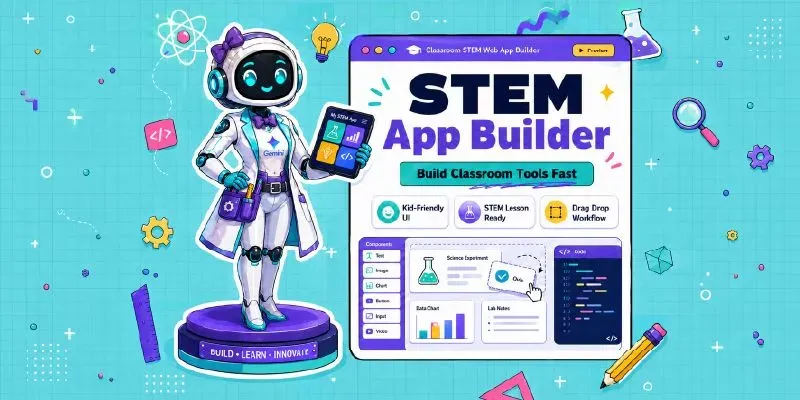
Interactive K-5 STEM mission web apps in Gemini with an educator-focused.
No coding skill needed. No technical setup required.
...more
Added over 1 month ago
