

Prompt Details
Model
(claude-4-5-sonnet)
Token size
1,103
Example input
[INTERVIEW_LENGTH]: SHORT
[FOCUS_AREA]: REACT
[SENIORITY_LEVEL]: JUNIOR
[ANSWER_DETAIL_LEVEL]: CONCISE
Example output
FRONTEND DEVELOPER INTERVIEW - REACT (JUNIOR LEVEL)
Interview Length: SHORT (30-45 minutes)
Focus Area: React
Seniority Level: Junior
Answer Detail: Concise
PART 1: TECHNICAL FUNDAMENTALS (6 Questions)
Question 1: What is React and what are its core principles?
Answer:
React is a JavaScript library for building user interfaces, developed by Facebook. Its core principles include component-based architecture, where UIs are built from reusable pieces; declarative programming, where you describe what the UI should look like rather than how to update it; and unidirectional data flow, where data flows down from parent to child components. React uses a Virtual DOM to efficiently update only the parts of the page that change, improving performance. The library emphasizes composition over inheritance, making code more maintainable. These principles help developers build scalable, predictable applications that are easier to debug and test.
Question 2: Explain the difference between functional and class components in React.
Answer:
Class components use ES6 class syntax and extend React.Component, requiring a render method to return JSX. They use lifecycle methods like componentDidMount and manage state through this.state. Functional components are JavaScript functions that accept props and return JSX directly. With React Hooks introduced in version 16.8, functional components can now handle state and side effects using useState and useEffect. Modern React development favors functional components because they're simpler, more readable, and require less boilerplate code. They also avoid common issues with the "this" keyword that occur in class components, making them easier for beginners to understand.
Question 3: What is JSX and why does React use it?
Answer:
JSX is a syntax extension that looks like HTML but works inside JavaScript. It allows developers to write UI structure alongside logic, making code more intuitive and readable. JSX isn't required for React but is widely adopted because it provides a visual representation of the component structure. Behind the scenes, JSX compiles to React.createElement function calls. You can embed JavaScript expressions inside JSX using curly braces. Common pitfalls include forgetting that JSX attributes use camelCase (className instead of class) and that components must return a single parent element. JSX makes code more maintainable by keeping markup and logic together.
Question 4: What are props in React and how do they work?
Answer:
Props (short for properties) are how data flows between React components, passing information from parent to child components. They're read-only, meaning child components cannot modify props received from parents. This immutability ensures predictable data flow and easier debugging. Props can be any JavaScript value: strings, numbers, objects, arrays, or functions. When a parent's state changes, React automatically re-renders children with new props. Common mistakes include trying to modify props directly or forgetting that props are one-way. Best practice is to use destructuring for cleaner code and PropTypes for type checking in development environments.
Question 5: Explain the useState Hook and when to use it.
Answer:
useState is a React Hook that adds state management to functional components. It returns an array with two elements: the current state value and a function to update it. The initial state is passed as an argument when calling useState. When the update function is called, React re-renders the component with the new state. Use useState for any data that changes over time and affects what users see, like form inputs, toggles, or counters. Common pitfalls include directly mutating state (always create new references for objects/arrays) and forgetting that state updates may be asynchronous. Always use the functional update form when new state depends on previous state.
Question 6: What is the Virtual DOM and why is it important?
Answer:
The Virtual DOM is React's in-memory representation of the real DOM. When state changes, React creates a new Virtual DOM tree, compares it with the previous one (a process called reconciliation), and calculates the minimal set of changes needed. Then it updates only those specific parts in the real DOM. This approach is important because direct DOM manipulation is slow—the Virtual DOM batches updates and minimizes expensive operations. It enables React's declarative approach: developers describe the desired UI state, and React figures out efficient updates. This abstraction improves performance, especially in complex applications with frequent updates, while keeping code predictable and easier to maintain.
PART 2: SYSTEM DESIGN & ARCHITECTURE (5 Questions)
Question 7: How would you structure a React application with multiple components?
Answer:
A well-structured React application typically follows a component hierarchy with clear separation of concerns. Organize components by feature or functionality in dedicated folders. Use container components (smart components) to handle logic and state, while presentational components (dumb components) focus purely on rendering UI. Keep the component tree shallow to avoid prop drilling. Common structures include a components directory for reusable UI elements, pages or views for route-level components, and utils or helpers for shared functions. Best practices include keeping components small and focused, extracting reusable logic into custom hooks, and using index files for cleaner imports. This organization improves maintainability and team collaboration.
Question 8: What strategies would you use for state management in a React application?
Answer:
State management strategy depends on application complexity. For simple apps, local component state with useState suffices. Lift state up to the nearest common ancestor when multiple components need to share data. For moderately complex apps, React Context API provides a way to share state globally without prop drilling. When applications grow larger with complex state interactions, consider dedicated libraries like Redux or Zustand. Key considerations include where state lives (local vs global), how frequently it updates, and how many components need access. Best practice is to start simple and add complexity only when needed, keeping most state local unless there's a clear reason to lift it.
Question 9: How do you approach performance optimization in React applications?
Answer:
Performance optimization starts with identifying bottlenecks using React DevTools Profiler. Key strategies include preventing unnecessary re-renders using React.memo for components, useMemo for expensive calculations, and useCallback for function references. Code splitting with React.lazy and Suspense reduces initial bundle size by loading components on demand. Virtualization libraries handle large lists efficiently by rendering only visible items. Proper key props in lists help React identify changes accurately. Avoid inline object and function definitions in JSX as they create new references each render. Debounce expensive operations like API calls. Always measure performance before and after optimization—premature optimization wastes time on improvements that don't matter.
Question 10: Explain how you would design a component to handle data fetching from an API.
Answer:
Design API-fetching components with clear loading, success, and error states. Use the useEffect Hook to trigger fetches when the component mounts or dependencies change. Store fetched data in state using useState along with loading and error states. Consider extracting fetch logic into custom hooks for reusability across components. Implement proper error handling and user feedback for all states. Best practices include cleanup functions in useEffect to prevent memory leaks, canceling ongoing requests when components unmount, and implementing retry mechanisms for failed requests. Consider using libraries like React Query or SWR that handle caching, background refetching, and optimistic updates automatically for production applications.
Question 11: What considerations should guide your component composition and reusability strategy?
Answer:
Design components with single responsibility—each component should do one thing well. Create generic, configurable components that accept props for customization rather than hard-coding values. Use composition over inheritance by combining smaller components into larger ones. The children prop enables flexible component nesting. Extract repeated patterns into reusable components but avoid premature abstraction—wait until you've used something three times before making it generic. Consider prop interfaces carefully to balance flexibility and simplicity. Document component APIs clearly. Common pitfalls include over-engineering simple components or creating overly specific components that can't be reused. Well-composed components reduce code duplication and speed up development.
PART 3: BEHAVIORAL & PROBLEM-SOLVING (4 Questions)
Question 12: Describe your approach to debugging a React component that isn't rendering as expected.
Answer:
Start with React DevTools to inspect component hierarchy, props, and state in real-time. Check the browser console for errors or warnings—React provides helpful error messages. Verify that JSX is returning valid elements and conditional rendering logic is correct. Use console.log strategically to trace data flow and identify where expectations diverge from reality. Check that props are being passed correctly and components are receiving expected data types. Verify useEffect dependencies to ensure effects run when needed. For rendering issues, check CSS and ensure conditional classes are applied correctly. Break complex components into smaller pieces to isolate problems. Common mistakes include silent failures from incorrect conditional rendering or forgetting to return JSX from components.
Question 13: How do you stay updated with React best practices and new features?
Answer:
Follow the official React documentation and blog, which announces new features and migration guides. Subscribe to reputable React newsletters and follow influential developers on social media. Participate in React communities like Reddit's r/reactjs or Discord servers. Read blog posts from companies like Meta, Vercel, and other tech leaders. Practice with side projects to experiment with new features before using them in production. Attend meetups or conferences when possible. Review open-source React projects to see how experienced developers structure applications. Most importantly, read release notes for React updates to understand what's changing and why. Continuous learning is essential as React evolves frequently with new patterns and performance improvements.
Question 14: Tell me about a time when you had to explain a complex React concept to a team member or stakeholder.
Answer:
When explaining complex React concepts, start with familiar analogies and build incrementally. Use visual diagrams to illustrate data flow, component hierarchy, or state updates. Focus on the "why" before the "how"—explain the problem the concept solves. Provide concrete examples from your current project that the person can relate to. Avoid jargon or define terms clearly when necessary. Check for understanding by asking them to explain it back or apply the concept to a different scenario. Patience is key—different people learn at different paces. Document explanations for future reference. Good communication involves adapting your explanation to the audience's technical level and learning style rather than using a one-size-fits-all approach.
Question 15: How would you approach learning a new React-related technology or library your team needs to adopt?
Answer:
Start with official documentation to understand the library's purpose, core concepts, and basic usage. Build a small proof-of-concept project to test how it works in practice. Compare it with alternatives to understand its unique advantages. Look for tutorials, video courses, or articles from reputable sources. Check GitHub issues to understand common problems and limitations. Review real-world codebases using the technology. Discuss findings with the team, sharing insights about implementation challenges and benefits. Create internal documentation or guidelines for team adoption. Start with a non-critical feature to gain confidence before wider implementation. This methodical approach reduces risk while building practical knowledge that helps the entire team adopt new tools successfully.
End of Interview
Interview Summary
This SHORT interview for a JUNIOR React developer position consists of 15 carefully selected questions distributed across three key areas:
Part 1 (6 questions): Covered React fundamentals including core concepts, components, JSX, props, hooks, and Virtual DOM
Part 2 (5 questions): Explored architectural thinking around component structure, state management, performance, API integration, and component composition
Part 3 (4 questions): Assessed problem-solving abilities, continuous learning, communication skills, and adaptability
Each answer is delivered in CONCISE format (100-150 words), providing focused explanations suitable for a 30-45 minute interview session with a junior-level candidate. The questions progress from foundational knowledge to practical application while remaining appropriate for a junior developer's expected experience level.



Get this prompt + 9 more with SelectFrom $14/mo · Cancel anytimeFrom $14/mo · Cancel anytime
View Select
 Instant access
 Commercial use
 Money‑back
By purchasing this prompt, you agree to our terms of service
1
Favorites
101
Views
CLAUDE-4-5-SONNET


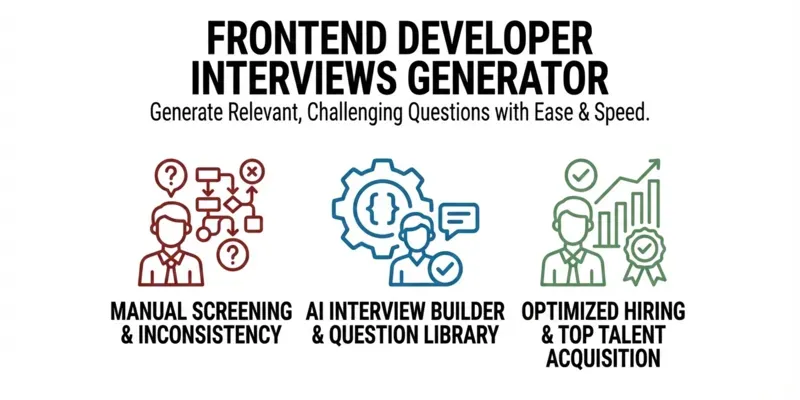
Transform your hiring process with professionally crafted frontend developer interviews tailored to your exact needs. This powerful prompt generates complete technical interviews with detailed questions AND expert answers, saving you countless hours of preparation time.
Perfect for tech recruiters who need consistent evaluation criteria, hiring managers conducting multiple interviews weekly, or developers preparing for their next career move. Your complete interview toolkit is just one prompt.
...more
Added over 1 month ago
