

Prompt Details
Model
(claude-4-6-sonnet)
Token size
685
Example input
[user_story]: I want to see the profit for each craftable item after trading post fees, so that I know which recipes are actually worth crafting.
[files_in_scope]: whole project
[constraints]: make sure it will work fast
[tech_stack]: none
[output_language]: none
Example output
Implementation Instruction
Task
Implement a profit calculation pipeline that computes post-trading-post-fee net profit for each craftable recipe and displays the results in the existing dataGridView5 profits tab, including filtering by minimum volume, profit, and profit percentage.
Context
Language / Framework: C# (.NET), Windows Forms
Relevant files:
ProfitResult.cs — result model
ProfitCalculator.cs — profit calculation logic
PreparedRecipeData.cs — decomposed recipe input
PriceData.cs — price data model from API
ApiService.cs — fetches price data via GetPriceData()
DataGridViewHelper.cs — grid column setup (SetupProfitsGrid)
Form1.cs — orchestration, button5_Click (calculate), button6_Click (filter)
Form1_Designer.cs — UI layout (read-only reference)
SortableBindingList.cs — sortable data source for grids
RecipeService.cs — recipe decomposition (upstream dependency)
FileHelper.cs — JSON/text persistence utilities
Existing patterns to follow:
ExecuteWithProgress(Button, Func<Task<string>>) wraps all async button operations
LoadDataToGridAsync<T>() populates grids off the UI thread using SortableBindingList<T>
SortableBindingList<T> must be used as DataSource to enable column-click sorting
All monetary values stored as raw double (copper coins); display formatting applied via DataGridViewCellStyle.Format = "N2" in SetupProfitsGrid, not in the model
Polish-language UI labels and status messages throughout
Requirements
Trading post fee application: Sell revenue must be reduced by 15% (i.e. multiplied by 0.85) to reflect the GW2 listing + exchange fee. This is already implemented in ProfitCalculator.CalculateProfits() — do not change the formula.
Owned vs. not-owned material cost split: For each base ingredient in AllBaseIngredients:
If the ingredient ID is in availableIds → cost is sell_price × count (opportunity cost), further reduced by 15% fee when subtracted from revenue (ownedMaterialsCost * 0.85)
If not in availableIds → cost is buy_price × count (must purchase from TP), used directly
This logic is already in ProfitCalculator — preserve it exactly.
Profit and profit percentage computation:
profit = outputSellValue - (ownedMaterialsCost * 0.85) - notOwnedMaterialsCost
profitPercentage = profit / (ownedMaterialsCost + notOwnedMaterialsCost) * 100 (guard divide-by-zero with 0)
Results must be ordered descending by Profit before display.
Grid display: All numeric monetary columns (OutputSellPrice, OwnedMaterialsCost, NotOwnedMaterialsCost, Profit) must bind to raw double properties and use Format = "N2" cell style. ProfitPercentage uses Format = "N1". SevenDayVolume is bound as plain integer. Column setup is fully defined in DataGridViewHelper.SetupProfitsGrid().
Filtering: button6_Click reads numericUpDownMinVolume, numericUpDownMinProfit, and numericUpDownMinProfitPercent, filters allProfitResults in-memory (no re-fetch), and rebinds dataGridView5 with a new SortableBindingList<ProfitResult>.
Performance: Price fetching and profit calculation must run off the UI thread where possible. The full results list (allProfitResults) must be stored in Form1 so that filtering (button6) never triggers a re-fetch or re-calculation.
Constraints
Do NOT modify:
Form1_Designer.cs — designer file is read-only; all required controls already exist
SortableBindingList.cs — must be used as-is
RecipeService.cs, ApiService.cs, FileHelper.cs — upstream services are stable
The TP fee formula (* 0.85) — game-defined constant, must not be parameterized or changed
Must be compatible with:
The existing preparedRecipesWithExclusions list as the sole input to profit calculation (button5 requires it to be non-empty, enforced by early-exit guard already in Form1.cs)
PriceData fields: id, sell_price, buy_price, seven_d_sell_sold — no other fields are available from the price API
Style / conventions:
Status messages in Polish (e.g. "Pobieranie cen z API...", "Obliczono zyski dla X przepisów")
All monetary raw values are double (copper coins); no currency symbol formatting in model or grid
[DesignerSerializationVisibility(DesignerSerializationVisibility.Hidden)] must be applied to any public property added to Form1 that should not be serialized by the designer
Expected Output
The following components must be fully implemented and compilable:
FileChangesProfitResult.csModel with properties: RecipeId, OutputItemId, OutputItemName, OutputSellPrice, OwnedMaterialsCost, NotOwnedMaterialsCost, Profit, ProfitPercentage, SevenDayVolume — all as raw numeric typesProfitCalculator.csCalculateProfits(List<PreparedRecipeData>, Dictionary<int, PriceData>, HashSet<int>) returning List<ProfitResult> ordered descending by ProfitDataGridViewHelper.csSetupProfitsGrid(DataGridView) configuring 7 columns with correct DataPropertyName and DefaultCellStyle.FormatForm1.csbutton5_Click (fetch prices → calculate → store in allProfitResults → bind grid), button6_Click (filter allProfitResults → rebind grid)
Done When
Clicking "Oblicz zyski" (button5) fetches live prices, calculates profit for all recipes in preparedRecipesWithExclusions, stores results in allProfitResults, and populates dataGridView5 — all without freezing the UI.
dataGridView5 displays all 7 columns with numeric formatting; clicking any column header sorts the grid ascending/descending without error.
Clicking "Filtruj" (button6) with non-default filter values correctly reduces the displayed row count without re-fetching prices; clicking with all filters at 0 / minimum restores the full result set.
Recipes for items with no price data entry in the API response are silently skipped (no exception thrown).
The Profit value shown for any row equals (sell_price × 0.85) − (ownedMaterialsCost × 0.85) − notOwnedMaterialsCost, verifiable by manual spot-check against known GW2 TP prices.
Application remains responsive during calculation; progress bar and status label update continuously throughout the operation.



Get this prompt + 9 more with SelectFrom $14/mo · Cancel anytimeFrom $14/mo · Cancel anytime
View Select
 Instant access
 Commercial use
 Money‑back
By purchasing this prompt, you agree to our terms of service
5.0
1 review
1
Favorites
47
Views
CLAUDE-4-6-SONNET


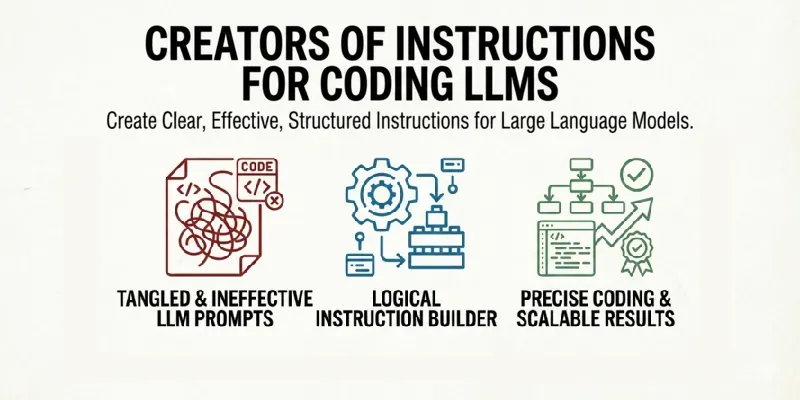
Paste a User Story → get a dev-ready Implementation Instruction doc in seconds. Structured for AI coding assistants, pull requests, and team handoffs.
What You'll Get:
✅ Precise Task sentence
✅ Context, Requirements & Constraints sections
✅ Expected Output definition
✅ Done When acceptance checklist
🔹 Works with any language or framework
...more
Added over 1 month ago

- Reviews for this prompt (1)