

Skill Details
Runtime
(gpt-5.5)
Example user message
[userMessage]: My client says the app crashes when they tap Save on the edit profile screen, but they only sent me “it doesn’t work.” Help me turn this into a proper bug report for the developer.
Example agent response
Absolutely — I’ll turn the vague client message into a developer-ready bug handoff and clearly mark what still needs to be confirmed.
## Bug Snapshot
- Bug title: App crashes after tapping Save on Edit Profile screen
- Affected feature: Edit Profile / Save profile changes
- Platform: unknown
- User-facing impact: user may be unable to update profile information
- Current evidence: client reports crash when tapping Save
- Likely category: crash bug, possibly form validation, API response, local state, or data persistence
- Urgency level: medium to high, depending on how many users are affected
- Recommended next step: collect environment details and reproduce the crash
## Confirmed Facts
- The client says the app crashes.
- The crash happens when tapping Save.
- The affected screen is Edit Profile.
- The original report was vague: “it doesn’t work.”
## Assumptions
- Assuming “it doesn’t work” means the app closes, freezes, or shows a crash error after tapping Save.
- Assuming the issue happens after changing profile data.
- Assuming the developer needs a structured ticket before investigation.
## Missing Information
- [ ] iOS, Android, or web?
- [ ] App version/build number
- [ ] Device model and OS version
- [ ] Exact fields edited before tapping Save
- [ ] Does it happen every time?
- [ ] Does it happen with all users or one account?
- [ ] Screenshot or screen recording
- [ ] Crash log or stack trace
- [ ] Network status when it happens
- [ ] Any recent changes to profile, auth, or API code
## Bug Report
### Title
App crashes after tapping Save on Edit Profile screen
### Summary
The client reports that the app crashes when they tap the Save button on the Edit Profile screen. The exact platform, device, app version, edited fields, and crash logs are not yet confirmed. This ticket should first focus on reproducing the crash and collecting logs.
### Draft Steps to Reproduce
1. Open the app.
2. Log in with a test account.
3. Navigate to the Edit Profile screen.
4. Change one or more profile fields.
5. Tap Save.
6. Observe whether the app crashes, freezes, or shows an error.
### Expected Result
The profile changes should save successfully, and the user should remain in the app with a success state or updated profile view.
### Actual Result
The client reports that the app crashes or fails after tapping Save.
### Environment
- Platform: [iOS / Android / Web]
- App version: [App Version]
- Device: [Device Model]
- OS version: [OS Version]
- Environment: [Production / Staging / Local]
- Account type: [User Type]
### Frequency
Unknown. Needs confirmation.
### Impact
Users may be blocked from updating profile information. If this affects production and multiple users, priority should be increased.
### Severity
Suggested severity: High if the crash is reproducible in production. Medium if it affects only one user or has a workaround.
## Likely Cause Hypotheses
### Frontend / UI
- Save button may trigger a null or invalid state.
- Form validation may not handle empty or unexpected fields.
- UI state may update after the screen is disposed or closed.
- Navigation after save may be using stale data.
### Backend / API
- Save profile endpoint may return an unexpected response.
- API validation error may not be handled correctly.
- Auth/session issue may occur during the save request.
### Data / Persistence
- Local profile model may contain null or incompatible data.
- Cached user data may conflict with server response.
- Migration or saved state may be inconsistent.
## Debugging Plan
### Phase 1 — Reproduce
- Try to reproduce on the same platform and app version as the client.
- Test with different profile fields changed.
- Test with empty, long, or special-character values.
- Capture a screen recording.
- Collect crash logs.
### Phase 2 — Narrow Scope
- Check if crash happens before or after the API request.
- Compare behavior with a fresh test account.
- Check if the issue started after the latest release.
- Test production vs staging if possible.
### Phase 3 — Inspect Code / Config
Likely areas to inspect:
- Edit Profile screen
- Save button handler
- Profile form validation
- Profile update ViewModel/controller
- API response handling
- User profile model mapping
- Navigation after save
- Local cache/persistence logic
### Phase 4 — Verify
After fix, retest the original flow and related profile update cases.
## Evidence To Collect
- [ ] Screen recording of the crash
- [ ] Crash log or stack trace
- [ ] App version
- [ ] Device and OS version
- [ ] Edited fields before Save
- [ ] Network request and response, if available
- [ ] Timestamp of crash
- [ ] User account type
Remove secrets, tokens, passwords, private customer data, and credentials before sharing logs or screenshots.
## Developer Handoff
**Title:** App crashes after tapping Save on Edit Profile screen
**Issue:** Client reports a crash/failure when tapping Save on Edit Profile.
**Impact:** User may be unable to update profile information.
**Steps to reproduce:** Open app → go to Edit Profile → edit profile fields → tap Save → observe crash/failure.
**Expected:** Profile saves successfully and user remains in app.
**Actual:** Client reports the app crashes or fails.
**Environment:** [Platform], [App Version], [Device], [OS], [Production/Staging].
**Evidence:** Need crash log, screen recording, edited fields, device details.
**Likely areas to inspect:** Save handler, form validation, API response handling, profile model mapping, navigation after save.
**Questions:** Does it happen every time? Which platform? Which fields changed? Any logs?
**Acceptance criteria:** Save works without crash and profile data updates correctly.
## AI Coding Prompt
Act as a senior mobile engineer debugging a crash on the Edit Profile screen. The app reportedly crashes when the user taps Save. First identify likely causes based on the provided context, then ask for the smallest set of files/logs needed to diagnose it. Focus on the Save button handler, form validation, profile update ViewModel/controller, API response handling, model mapping, and navigation after save. Do not refactor unrelated code. After proposing a fix, provide manual QA retest steps and regression checks.
## QA Retest Checklist
- [ ] Edit one profile field and tap Save
- [ ] Edit multiple profile fields and tap Save
- [ ] Save with optional fields empty
- [ ] Save with long text values, if allowed
- [ ] Save with special characters, if allowed
- [ ] Test slow network
- [ ] Test invalid server response, if possible
- [ ] Confirm no crash occurs
- [ ] Confirm success state appears
- [ ] Confirm updated data persists after closing/reopening app
- [ ] Confirm related profile screens still load correctly
## Acceptance Criteria
- [ ] User can tap Save without app crash
- [ ] Valid profile changes are saved
- [ ] Invalid input shows a clear error instead of crashing
- [ ] API errors are handled gracefully
- [ ] Updated profile data appears correctly
- [ ] No regression in profile view or login/session behavior
## Client-Friendly Update
Thanks for the details. To help the developer investigate properly, could you send the device type, app version, and a short screen recording showing the crash after tapping Save? If there is any error message, please include that too. We’ll use those details to reproduce the issue and identify the cause.
## Recommended First Step
Ask the client for device/OS, app version, edited fields, and a screen recording.
Next step: turn this into a Jira-ready ticket.



Get this skill + 9 more with Select$14 your first month, then $19/mo$14 first month, then $19/mo
View Select
 Instant access
 Commercial use
 Money‑back
By purchasing this skill, you agree to our terms of service
4
Views
GPT-5.5


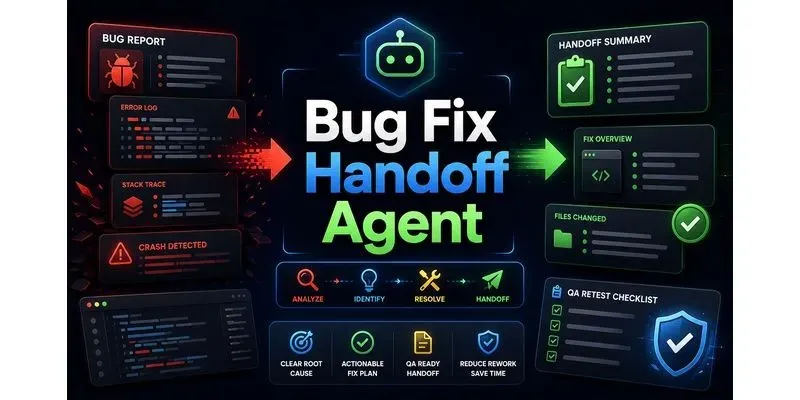
Turn vague bug reports, app crashes, UI issues, build errors, and client complaints into clear developer-ready bug briefs. This skill creates reproduction steps, expected vs actual behavior, severity, likely causes, debugging checklists, files to inspect, logs to request, AI coding prompts, QA retest plans, and client/team handoff notes.
...more
Added over 1 month ago
