

Skill Details
Runtime
(gpt-5.5)
Example user message
[userMessage]: Create a README for my product “Luxury Candle Product Photography Prompts.” It includes 9 image prompts, 9 example images, keyword variations, a licence note, and preview images. Buyers will use the prompts in image-generation tools. Include buyer instructions, usage notes, troubleshooting, FAQ, support copy, and seller checklist.
Example agent response
# README Package: Luxury Candle Product Photography Prompts
## README Title
README — Luxury Candle Product Photography Prompts
## Welcome Note
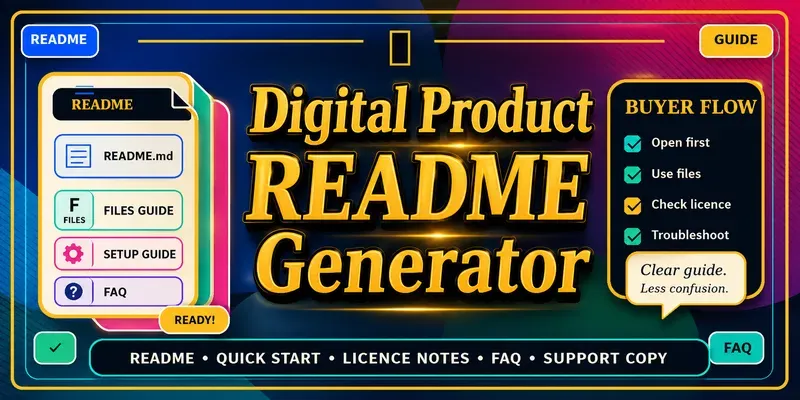
Thank you for purchasing Luxury Candle Product Photography Prompts. This guide explains what is included, how to use the prompts, how to customize bracketed variables, and what to check before using any outputs commercially.
## Product Summary
This is a digital prompt pack designed to help buyers create brand-neutral luxury candle product visuals using image-generation tools. The pack includes ready-to-use prompts, example images, keyword variations, licence notes, and preview assets. No physical item is shipped.
## What’s Included
- 9 luxury candle product photography prompts
- 9 example images
- Keyword variations
- Licence and usage note
- Preview images
- README / buyer instructions
## File and Folder Guide
Suggested folder structure:
- 00-READ-ME-FIRST.pdf — start here
- 01-Prompts/ — main prompt file
- 02-Example-Images/ — example images created from the prompt theme
- 03-Preview-Images/ — preview images for reference
- 04-Licence-and-Usage/ — licence and usage note
- 05-Keywords/ — keyword variation list, if stored separately
## Quick-Start Instructions
1. Download the product files.
2. Unzip the folder if needed.
3. Open this README first.
4. Open the main prompt file.
5. Copy one prompt into your chosen image-generation tool.
6. Replace bracketed variables if you want to customize the candle type, surface, colour palette, or mood.
7. Generate several versions and select the strongest result.
8. Review the licence and usage note before commercial use.
## Detailed Usage Instructions
Each prompt is written as a structured starting point for luxury candle product visuals. You can use the prompt as written or customize the bracketed sections.
Example variables you may change:
- [an unlabelled candle product]
- [premium surface or setting]
- [lighting and mood]
- [composition or camera direction]
- [aspect ratio]
Keep brand-neutral wording such as “no text, no logos, no readable labels” if you want clean commercial-style outputs without fake branding. Results may vary depending on the image-generation tool, settings, model version, prompt interpretation, and post-processing.
## Tool / Software Requirements
- An image-generation tool of your choice
- PDF reader or text editor to open the prompt file
- ZIP extractor if the product is delivered as a ZIP file
- Optional: design software if you want to edit or combine generated images
## Customization Guidance
You can customize the prompts by changing the candle style, material, surface, props, lighting, composition, and aspect ratio. Keep the overall product photography structure intact for cleaner results. Save your favourite prompt variations so you can reuse them later.
## Licence and Usage Reminder
Please review the included licence and usage note before using the prompts or generated outputs commercially. Do not resell, redistribute, or share the original prompt files unless the licence specifically allows it. Do not add real brand names, logos, or protected product labels unless you own the rights or have permission.
This section should be customized by the seller to match the actual licence terms.
## Troubleshooting
### Issue: The image output includes text or fake labels.
Suggested fix: Add or strengthen constraints such as “no text, no logos, no readable labels, no watermark.” Generate again and choose the cleanest version.
### Issue: The product looks too generic.
Suggested fix: Customize the surface, lighting, props, and composition variables to create a more distinctive scene.
### Issue: The image model ignores some details.
Suggested fix: Simplify the prompt and focus on the most important subject, setting, lighting, and composition.
### Issue: The generated image is not high enough quality for printing.
Suggested fix: Check your image-generation tool’s export settings and upscale or regenerate where appropriate. Test quality before printing or selling printed products.
### Issue: The ZIP file will not open.
Suggested fix: Download the file again, make sure the download completed, and use a standard ZIP extraction tool. If the issue continues, contact support using the details below.
## FAQ
Q: Is this a physical product?
A: No. This is a digital product. No physical item will be shipped.
Q: What do I receive?
A: You receive 9 image prompts, 9 example images, keyword variations, licence notes, preview assets, and this README guide.
Q: Can I edit the prompts?
A: Yes, you can customize bracketed variables to change the candle type, surface, lighting, mood, composition, and aspect ratio.
Q: Do the prompts guarantee perfect images?
A: No. Results vary depending on the image tool, model, settings, prompt interpretation, and user adjustments.
Q: Can I use the outputs commercially?
A: Check the included licence and usage note. Commercial-use permissions should only be relied on if they are clearly stated in the seller’s licence terms.
Q: Can I resell the prompt file?
A: Not unless the licence specifically allows resale or redistribution of the original prompt files.
Q: What should I do if the output includes a logo or readable text?
A: Regenerate using stronger constraints such as “no text, no logos, no readable labels, no watermark.”
Q: Who do I contact for support?
A: Contact [support email/link] with your order number, product name, and a short description of the issue.
## Support / Contact Copy
For support, contact [support email/link]. Please include your order number, product name, and a short description of the issue. If possible, include a screenshot so the issue can be understood more quickly.
Support does not include custom image generation, advanced editing, or platform-specific troubleshooting unless this is specifically offered by the seller.
## Update / Version Notes
Version: [insert version number]
Release date: [insert date]
Update policy: [insert whether updates are included, optional, or sold separately].
## Buyer Checklist
- Download the product files.
- Open the README first.
- Open the prompt file.
- Copy one prompt into your chosen image tool.
- Customize bracketed variables if needed.
- Generate multiple versions.
- Review licence terms before commercial use.
- Contact support if access issues occur.
## Seller Pre-Publishing Checklist
- README included.
- Prompt count matches product listing.
- Example image count matches product listing.
- Licence note included.
- Support/contact placeholder completed.
- ZIP opens correctly.
- File names are clear.
- Product copy matches actual files.
- No fake claims or guaranteed results included.
- No protected brand names or logos included.
## Disclaimer
This README is designed to support buyer onboarding, product access, usage guidance, troubleshooting, and product documentation. It does not provide legal advice, guarantee product results, guarantee marketplace approval, or replace platform-specific policy review. Licence terms, commercial-use permissions, third-party asset rights, refund terms, support terms, and regulated-topic claims should be checked before publishing.

 Instant access
 Commercial use
 Money‑back
By purchasing this skill, you agree to our terms of service
2
Favorites
8
Views
GPT-5.5


Creates polished README files, buyer instructions, usage notes, file-access guidance, licence reminders, troubleshooting notes, support copy, update notes, folder guides, and product-specific onboarding instructions for digital products, templates, prompt packs, image bundles, worksheets, planners, courses, and creator resources.
...more
Added 1 day ago
