

Skill Details
Runtime
(gpt-5.5)
Example user message
[userMessage]: Create a beginner curriculum for an online course about Canva templates.
Example agent response
=== CURRICULUM TITLE ===
Canva Template Design for Beginners: From Product Idea to Sellable Digital Template
=== TARGET LEARNER ===
Beginner digital product creators, Etsy sellers, coaches, small business owners, and creators who want to design Canva templates but need a structured learning path.
=== CURRICULUM OVERVIEW ===
This curriculum teaches learners how to choose a template niche, understand target buyers, design clean Canva templates, organize pages, create reusable layouts, prepare files for delivery, and build a simple product presentation.
=== DURATION / FORMAT ===
6 weeks / online course with video lessons, worksheets, design practice, and final project.
=== LEARNING GOALS ===
By the end of the course, learners will be able to:
1. Identify a clear Canva template niche and buyer.
2. Plan a template product with useful page types.
3. Apply basic design principles to template layouts.
4. Create a cohesive Canva template bundle.
5. Prepare delivery instructions for buyers.
6. Present a finished Canva template product.
=== PREREQUISITES ===
- Basic computer skills
- Free or Pro Canva account
- No design experience required
=== MODULE STRUCTURE ===
Module 1: Template Product Foundations
Objective:
Learners will choose a template niche and define a target buyer.
Topics:
- digital template market basics
- buyer pain points
- niche selection
- product promise
Module 2: Canva Design Basics
Objective:
Learners will apply simple design principles.
Topics:
- layout
- spacing
- typography
- color
- hierarchy
Module 3: Template Bundle Planning
Objective:
Learners will plan a useful template product.
Topics:
- page list
- buyer workflow
- template sequence
- product structure
Module 4: Creating the Template Pages
Objective:
Learners will design reusable, editable Canva pages.
Topics:
- master page style
- editable elements
- consistency
- user instructions
Module 5: Packaging and Delivery
Objective:
Learners will prepare a buyer-friendly digital product.
Topics:
- PDF delivery guide
- Canva template link instructions
- file organization
- usage notes
Module 6: Final Product Presentation
Objective:
Learners will complete and present a Canva template product.
Topics:
- mockups
- preview images
- product description
- final checklist
=== WEEKLY PLAN ===
Week 1:
Choose niche, define buyer, write product promise.
Week 2:
Learn design basics and create a visual style board.
Week 3:
Plan template bundle page structure.
Week 4:
Design core template pages.
Week 5:
Create delivery guide and polish template.
Week 6:
Create product mockups and present final template bundle.
=== LESSON SEQUENCE ===
1. What Makes a Canva Template Sellable
2. Choosing a Niche and Buyer
3. Understanding Buyer Workflow
4. Basic Layout and Visual Hierarchy
5. Typography and Color Choices
6. Planning a Template Bundle
7. Creating Editable Pages
8. Maintaining Design Consistency
9. Preparing Canva Template Links
10. Creating Buyer Instructions
11. Making Product Preview Images
12. Final Product Review
=== ACTIVITIES AND PRACTICE TASKS ===
- niche brainstorming worksheet
- buyer persona worksheet
- style board activity
- page list planner
- layout redesign practice
- template consistency checklist
- delivery guide draft
- final product mockup activity
=== ASSESSMENTS ===
Formative assessments:
- niche selection worksheet
- design principles quiz
- page structure review
- template consistency checklist
Summative assessment:
- final Canva template product bundle
=== FINAL PROJECT ===
Learners will create a complete Canva template bundle with at least 10 editable pages, a consistent visual style, buyer instructions, and product preview images.
=== RUBRIC ===
Excellent:
Template is cohesive, useful, visually clean, buyer-friendly, and complete.
Proficient:
Template is clear and usable with minor design or organization issues.
Developing:
Template has useful ideas but needs stronger consistency, layout, or instructions.
Needs Support:
Template is incomplete, confusing, or not ready for buyer use.
Criteria:
- niche clarity
- design consistency
- page usefulness
- editability
- delivery instructions
- final presentation
=== MATERIALS / RESOURCES NEEDED ===
- Canva account
- course worksheets
- niche planner
- buyer persona worksheet
- design checklist
- delivery guide template
- mockup tool or Canva mockups
=== DIFFERENTIATION NOTES ===
Support:
Provide page templates, color palettes, and layout examples.
Challenge:
Ask learners to create a 20-page premium template bundle with multiple formats.
=== IMPLEMENTATION NOTES ===
Keep each video lesson focused on one practical task. Encourage learners to build their final product gradually across the course.
=== PRODUCT USE NOTES ===
This curriculum can be used for an online course, Gumroad course, coaching program, digital product bootcamp, or private academy workshop.

 Instant access
 Commercial use
 Money‑back
By purchasing this skill, you agree to our terms of service
4
Favorites
15
Views
GPT-5.5


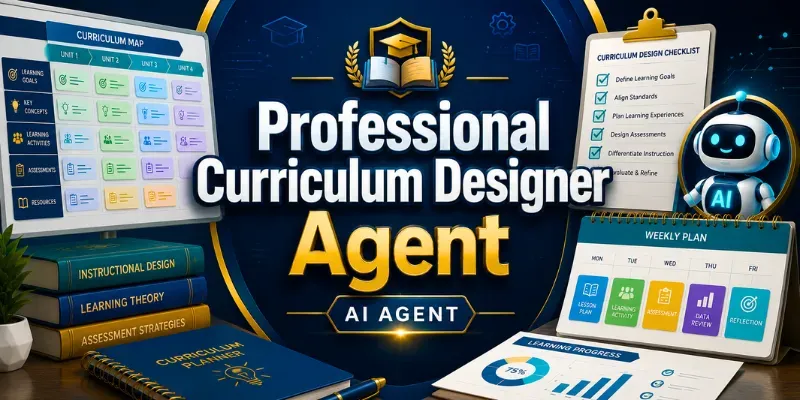
Create complete professional curricula for courses, subjects, workshops, online programs, homeschool plans, private academies, and educational products. This AI skill builds curriculum overviews, learning goals, module structures, weekly plans, lesson sequences, activities, assessments, rubrics, final projects, differentiation notes, and implementation guidance.
Perfect for teachers, curriculum designers, online course creators, homeschool educators, academies, tutors, and training providers.
...more
Added over 1 month ago
