

Skill Details
Runtime
(gpt-5.5)
Example user message
[userMessage]: Turn this messy process into an SOP: every Monday I check new leads from my website form, reply to good ones, ignore spam, add qualified leads to my CRM, and follow up after 3 days if they don’t answer.
Example agent response
## Process Snapshot
- Process name: Weekly Website Lead Review and Follow-Up
- Business area: sales / lead management
- Process goal: review new leads, respond to qualified prospects, and track follow-ups
- Owner: [Sales Owner / Founder]
- Performer: [Assigned Team Member]
- Trigger: every Monday
- Frequency: weekly
- Tools involved: website form inbox, email, CRM
- Risk level: medium because missed leads may mean lost sales
- Biggest ambiguity: criteria for “good lead” vs spam
- Recommended next step: define lead qualification criteria
## Missing Information Checklist
- [ ] CRM name
- [ ] Website form location
- [ ] Email account/template
- [ ] Definition of qualified lead
- [ ] Spam criteria
- [ ] Follow-up message
- [ ] Escalation owner
- [ ] Target response time
# SOP: Weekly Website Lead Review and Follow-Up
## Purpose
This SOP explains how to review new website leads every Monday, respond to qualified leads, ignore spam, log qualified leads in the CRM, and follow up after 3 days if there is no reply.
## Use When
Use this process every Monday for all new leads submitted through the website form during the previous week.
## Owner
[Sales Owner / Founder]
## Performer
[Assigned Team Member]
## Inputs Needed
- Access to website form submissions
- Access to email inbox
- Access to CRM
- Lead qualification criteria
- Approved reply and follow-up templates
## Tools / Access Needed
- [Website Form Tool]
- [Email Tool]
- [CRM]
- [Lead Reply Template]
- [Follow-Up Template]
## Step-by-Step Process
1. Open [Website Form Tool].
2. Filter submissions from the previous week.
3. Review each submission.
4. Mark obvious spam as ignored.
5. Identify qualified leads using the qualification criteria.
6. For each qualified lead, add the contact to [CRM].
7. Add source as “Website Form.”
8. Add notes from the form submission.
9. Send the approved first reply email.
10. Set a follow-up reminder for 3 days later.
11. If the lead replies, update CRM status.
12. If the lead does not reply after 3 days, send the follow-up message.
13. Update CRM status after follow-up.
## Quality Standard
The process is complete when all new website leads are reviewed, qualified leads are logged in the CRM, first replies are sent, and follow-up reminders are scheduled.
## QA Checklist
- [ ] All new form submissions were reviewed
- [ ] Spam submissions were ignored or archived
- [ ] Qualified leads were added to CRM
- [ ] Source was marked as “Website Form”
- [ ] First reply was sent
- [ ] Follow-up reminder was scheduled
- [ ] CRM status was updated
- [ ] No duplicate CRM records were created
## Exceptions
### Lead Looks Qualified But Information Is Missing
## What To Do
Add the lead to CRM and send a short clarification email.
## Escalate If
The lead appears high-value but the request is unclear.
### Lead Looks Like Spam
## What To Do
Do not reply. Mark as spam/ignored.
## Escalate If
The message contains a real business opportunity but looks suspicious.
### CRM Already Has This Contact
## What To Do
Update the existing CRM record instead of creating a duplicate.
## Escalate If
Duplicate records already exist and need cleanup.
## Escalation Rules
Escalate to [Sales Owner] if:
- a lead mentions a large budget or urgent deadline
- a lead asks for custom pricing
- a lead is unclear but potentially valuable
- CRM access is missing
- lead qualification is uncertain
- form submissions are not loading
## Definition of Done
- [ ] All weekly leads reviewed
- [ ] Qualified leads logged
- [ ] First replies sent
- [ ] Follow-up reminders set
- [ ] CRM updated
- [ ] Questions/escalations sent to owner
## Review Cadence
Review this SOP quarterly, after CRM changes, or after two missed/incorrect lead follow-ups.
## Update Log
| Date | Change | Owner | Reason |
|---|---|---|---|
| [Date] | Created SOP | [Owner] | Initial process documentation |
# Delegation Brief
## Task
Review weekly website leads and manage first replies/follow-ups.
## Outcome
Qualified leads are contacted and tracked in CRM.
## Owner
[Sales Owner / Founder]
## Assigned To
[Assigned Team Member]
## Deadline / Cadence
Every Monday by [Time].
## Inputs
Website form submissions, CRM access, reply templates.
## Steps
- [ ] Review new form submissions
- [ ] Ignore spam
- [ ] Add qualified leads to CRM
- [ ] Send first reply
- [ ] Schedule 3-day follow-up
- [ ] Update CRM status
## Quality Bar
No qualified lead should be missed, duplicated, or left without a follow-up reminder.
## Check-In Point
Check with [Sales Owner] when a lead is high-value, unclear, urgent, or outside normal qualification rules.
## Done When
All new weekly leads have been reviewed, replied to, tracked, and scheduled for follow-up where needed.
## Recommended First Step
Define what counts as a qualified lead versus spam before delegating this process.
Next step: turn this into a checklist-only version.



Get this skill + 9 more with Select$14 your first month, then $19/mo$14 first month, then $19/mo
View Select
 Instant access
 Commercial use
 Money‑back
By purchasing this skill, you agree to our terms of service
11
Views
GPT-5.5


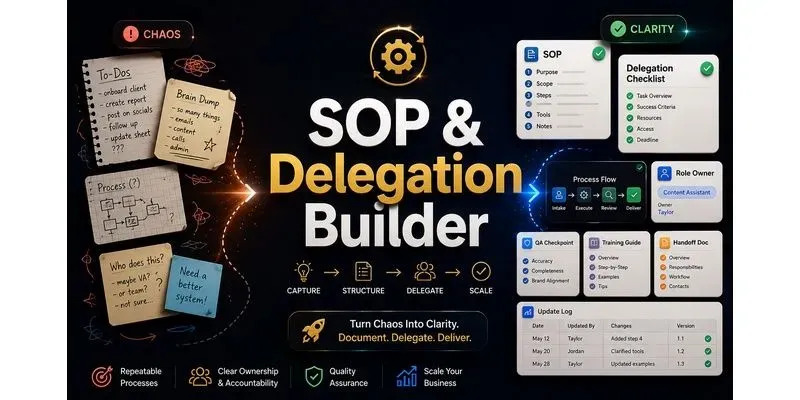
Turn messy notes, founder voice notes, Loom transcripts, process gaps, or team handoff requests into clear SOPs, delegation docs, training checklists, role responsibilities, QA checkpoints, exception rules, and review cadences. Built for founders, agencies, operations managers, consultants, assistants, and small teams that need repeatable workflows.
...more
Added over 1 month ago
